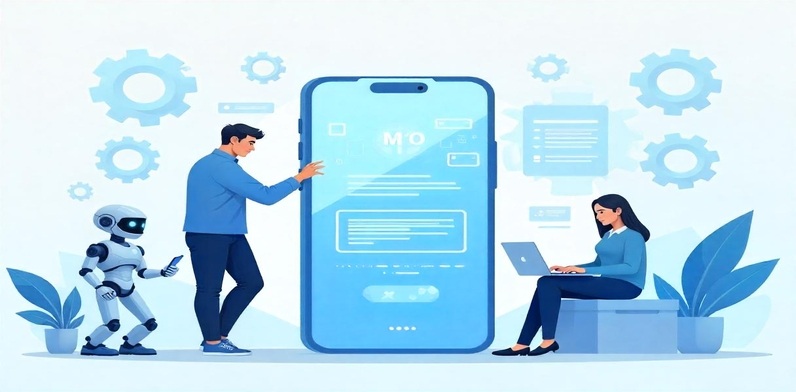
How to Integrate Machine Learning in Android Apps?

Machine Learning (ML) is rapidly transforming mobile development, with Android apps leading the way. Ever wondered how ML is used in Android apps or what are real examples of ML in mobile development? Just look at features like Google Lens, smart replies that have very fast and smooth user interaction with ML, and even personalized news feeds — all are powered by ML.

As Android holds over 70% of the global mobile OS market in 2024, the demand for smarter apps keeps rising. With over 3.6 million apps on the Play Store in 2024 alone, developers are using ML to make smarter, faster, and more personal experiences.

This article will teach you step-by-step how to integrate machine learning in an android app. This would be done using tools like ML Kit Android, PyTorch Mobile / ONNX and TensorFlow Lite. Oh yes, no advanced expertise required for machine learning mobile development!

Machine Learning for Android – Concepts Tools & Use Cases

Machine learning mobile development lets Android apps adapt, predict, and act smartly — from suggesting replies in chats to scanning documents or identifying objects in photos. Android app development with machine learning empowers your business with personalization, voice recognition, fraud detection, and more.

There are two types:

  • On-device ML, which runs locally (faster, more private)
  • Cloud-based ML, which handles heavier tasks but needs the internet.
  1. TensorFlow Lite helps run bespoke ML models efficiently on mobile phones.
  2. ML Kit Android has plug-and-play features (face detection, translation, etc.)
  3. ONNX (Open Neural Network Exchange) lets developers bring pre-trained models from other platforms like PyTorch into Android apps very smoothly.

Choosing the Right Machine Learning Strategy for Android Apps:

Choosing the Right Machine Learning Strategy for Android Apps
  • Pre-trained models (like Google’s Face Detection API) are fast to implement.
  • Custom models offer control for unique tasks, as required for your business needs or target audiences.
  • Supervised learning trains models on labeled data (e.g., spam detection)
  • Unsupervised learning easily detects patterns without labels (e.g., customer segmentation).

For apps needing real-time performance or strong privacy, on-device inference is ideal — no internet delays or data leaks. According to Google, ML Kit’s on-device APIs process data in under 20ms, making it perfect for features like instant translations, barcode scanning, or live object detection.

Popular Tools & Libraries for Android ML Integration:

1. TensorFlow Lite (TFLite):

Core Features – allows efficient on-device ML, ideal for mobile apps with limited resources.

Use Cases – Perfect for product recommendation engines (predicting what users may buy next based on browsing history. It also works with dynamic pricing models (adapting prices in real-time based on market conditions).

Advantages – Model Conversion which means it can easily convert TensorFlow models into a lightweight format suitable for Android devices.

2. ML Kit by Google:

Core Features – Machine learning in Android Kit provides pre-built APIs for common tasks like image and text analysis.
Use Cases examples – 

  • Face Detection: For virtual try-ons (e.g., makeup or glasses to choose as per your face shape etc).
  • OCR (Optical Character Recognition) which means scanning and processing receipts, product labels or barcode information for faster checkout.
  • Language Identification as per the local language preferences for e-commerce sites to show localized content.

3. PyTorch Mobile / ONNX:

Core Features – allows developers to use models trained in PyTorch or other frameworks in Android apps using machine learning.
Use Cases examples

  1. PyTorch: Analyzing customer reviews to determine sentiment and improve product recommendations.
  2. ONNX: Running pre-trained models from other platforms in Android apps. It is ideal for incorporating complex predictive models that might come from external sources or research.

Read More: Android vs iOS, Which one is Best Platform for Mobile App Development

Step-by-Step: Integrating ML into Your Android App

Integrating ML into Your Android App

Prepare or Select a Model:

The first step is selecting a pre-trained ML model. For example, if you’re using TensorFlow, you can convert your trained model to TensorFlow Lite (TFLite) format. It is for better efficiency on mobile devices. TFLite models are optimized for smaller size and faster performance on Android. Otherwise, you can also use Firebase ML if you want a ready-to-use solution without managing models yourself.

Include the Model in the Android App:

To get the model into an Android app using machine learning, you’ll need to use Android Studio. Add the model file (like TensorFlow Lite) to your project’s assets folder. Then, modify your Gradle configuration to include dependencies for TensorFlow Lite or Firebase ML Kit. This will also be depending on the model you’re using.

Model Loading and Inference:

After adding the model in machine learning in android studio, you have to next load it into the app. This is termed as integrating machine learning in an android app. For example, using TensorFlow Lite, you load the model with a simple method like Interpreter interpreter = new Interpreter (modelFile);. Then, you can run Inference. It is nothing but a simple process where the model makes predictions based on the input data.

Handling Input & Output Data:

For tasks like image classification or text analysis during android app development with machine learning, you need to preprocess your input. This could be resizing images or converting text into vectors, before you pass these to the model. After running the inference, you postprocess the output. This could be the predicted label for an image or sentiment analysis for text.

Common Mistakes and How to Avoid Them in ML Android Apps:

  • Model too large → ✅ Use quantization + pruning
  • Inaccurate outputs → ✅ Check training data quality
  • App crashing → ✅ Confirm input/output dimensions match model expectations
  • Battery drain → ✅ Use batching, limit inference frequency, prefer on-device processing

Performance Optimization Tips for Android App Using Machine Learning:

Performance Optimization Tips for Android App Using Machine Learning

When integrating ML into Android apps, it’s important to optimize performance.

  • Quantization reduces the model size by simplifying data, helping it run faster on mobile.
  • Hardware acceleration like NNAPI (Neural Networks API)
  • GPU boosts speed by offloading heavy computations.
  • Keep an eye on memory and battery usage — ML models can drain power quickly

Performance Optimization in Practice – Real Tips That Work

  • Model Pruning: Removes unnecessary neurons or layers from the model to improve inference time without significantly sacrificing accuracy.
  • Delegates: Use GPU and NNAPI delegates in TensorFlow Lite to offload work from the CPU.
  • Batching Input: Instead of running the model on individual inputs, process in batches to reduce latency.
  • Memory Mapping: Use MappedByteBuffer to load TFLite models efficiently in Android.

Testing and Debugging Android App Development with Machine Learning:

To test ML features in Android apps, use Android Studio’s emulator to mimic real-world conditions.

Common issues include models not loading due to size or format and inaccurate predictions. These could appear when a recommendation app suggests unrelated products. This happens if the model isn’t trained on diverse, quality data.

Ethical Considerations & Data Privacy in ML Android Apps:

Modern Android apps must do more than just run smart models — they must also protect user data and ensure ethical usage. Here’s how:

  • On-device inference = better privacy (no data leaves the device).
  • Always ask for user consent before using camera/audio or sensitive inputs.
  • Implement fairness by auditing your ML model for biased outcomes (e.g., face detection failing on certain skin tones).
  • Stay compliant with GDPR/CCPA by avoiding storage of personally identifiable data.

This is a growing concern among users and developers alike, so covering it boosts your authority and trustworthiness.

5 Innovative App Ideas Using ML in Android (for 2025 and Beyond):

  1. AI-Powered Personal Health Assistant: Integrates phone sensors + ML for fitness/diet tracking.
  2. Smart Mental Health Chatbot: Uses NLP (Natural Language Processing) + sentiment analysis to detect stress/anxiety in user input.
  3. AI Interior Design App: Users scan their room and place furniture virtually using ML + AR.
  4. Resume & Job Matching App: Match candidates to jobs via NLP + classification algorithms.
  5. Image Enhancer App: Real-time image upscaling and noise reduction using GANs or deep learning.

Each of these app ideas aligns with current trends and has limited competition — great for developers looking to make an impact.

So, are you ready to Build Smarter Android Apps?

From personalized shopping to real-time language detection, ML makes your app faster, smarter, and more user-focused. The best part? You don’t need to be a data scientist to start machine learning in an Android studio! Come to Machine Learning which is no longer a luxury — it’s a game-changer. For businesses or entrepreneurs lacking in-house technical resources, it’s a smart move to  hire Android app developers  who are experienced in ML integration and Android optimization.

FAQs:

What is machine learning in Android apps?

Machine learning helps Android apps become smart — like suggesting replies, scanning images, or showing news you like. It learns from data and improves over time.

Can I use machine learning without being an expert?

Yes, you don’t need to be a big tech expert. Tools like TensorFlow Lite and ML Kit make it easy for beginners. Just follow some steps and you can use it in your Android app.

Which tool is better — TensorFlow Lite or ML Kit?

Use TensorFlow Lite if you want to make your own ML model. If you want quick and easy features like face scan or text reading, then ML Kit is better and ready to use.

How to make machine learning apps faster and smoother?

Use small size models and apply “quantization” to make it lighter. Also, run it on GPU or use NNAPI to save battery and make it work faster.

Is using machine learning safe in Android apps?

Yes, if you follow best practices like using on-device ML and asking user permission. Don’t collect personal data unless really needed and always keep it secure.

What are some unique app ideas using ML in Android?

You can make apps like health coach, job finder, or interior designer using ML. You can also build smart camera apps or personal chatbots for mental health.
Enterprise Mobile Apps: Let’s Bust The Myths

Today’s Social Media-energized digital era makes it almost impossible to live without smartphones. And without mobile applications, smartphones cannot survive. As different enterprise mobile apps engage other people to use them more often if you want to increase your business ROI, you must consider building it. Through enterprise mobile apps, businesses can easily handle essential business tasks such as distribution, consumer support, CRM, Email marketing, and many more. That’s why enterprise apps are considered one of the most efficient solutions to complete and handle such complicated tasks.

Today, the mobile industry is growing, and more and more customers are adopting mobile as the medium for research, browsing, and buying things. Still, many myths are associated with it, becoming a hurdle for companies. They are hesitating to hire iOS developers or android developers for the development of enterprise mobile apps. However, this blog will bust some myths so you can determine whether or not you should opt for enterprise mobile apps.

Myth 1# You Should Think About End Users At The End

Fact – The businesses that want to increase their business ROI by developing an app that can resolve complex work processes should keep the end users in the loop at every stage from the first day. Do you think you can provide the solutions they want without discussing them with your team members or end users? Besides, keeping them in the loop will ensure that the functionalities being added to the app are in line with their requirements and comfort level.

Myth 2# Enterprise Or Android App Development Is Expensive

Fact – The cost of development of the mobile app depends on which functionalities and features you want to add to your business app. The cost is almost the same across all categories and depends on the business requirement and the complexity of the features you want to add to your enterprise mobile apps.

Myth 3# Enterpirse Mobile Apps Are Not Safe & Sound

Fact – Before a few years back, people feared having data on mobile because of being hacked and stolen. However, nowadays, the scenario is completely changed. Today lots of the latest mobile app development trends are in the market, and companies include them and security measures in the app development process. It ensures that the mobile app developed for your business will be hackproof. These days, most companies include technologies such as blockchain in their apps to make sure that their app will be impossible to hack.

Myth 4# More Features = Greater App Success

Fact – It is a fact that nowadays, the mobile app market has flooded with super apps that offers multiple functionalities. However, it is not true in the case of enterprise apps. Regarding enterprise android app development or iOS application development, the success remains in providing limited features that solve specific employees’ issues. That’s why while thinking about the features, ensure that the features remain limited and you do not make the experience difficult for the users.

Myth 5# Enterprise Apps Require Additional In-House Infrastructure Setup

Fact – The most common belief is that businesses can only include enterprise mobile apps in their work environment if they have extra infrastructure support. However, it is not true. Usually, enterprise apps offer enterprise mobility solutions, and they are installed on the employee’s phone. In short, it will eliminate the requirement of the additional infrastructural setup.

Myth 6# The Main Thing Involved In Enterprise Apps Is Coding

Fact – Generally, people believe that coding is the only main thing to develop successful enterprise apps. However, just like other myths, this myth is also baseless. Of course, coding is the fundamental prerequisite. However, to design and develop a mobile enterprise app, you will require an exceptional idea, plan, design, user experience, graphics, etc., and all of these needs experience and proficiency.

Myth 7# Enterprise Apps Should Be Complex

Fact – The reality is entirely different. The idea of developing an enterprise app is to solve complex issues. Therefore, the app must be user-friendly so that users do not face problems while learning to operate it. It is not required that you should dump everything in your app in one go. You can develop the simplest version first and slowly add new features and functions slowly. An ideal way to do this is to outsource to an enterprise app development company like LogicRays or hire iOS developers/Android developers to develop such apps. They will create the right app for you and your organization per your business requirements. So, hire them and let them build the right app for your business.

Concluding Remarks

In a nutshell, these are the myths that keep corporations from investing and getting the benefits of enterprise applications. We have tried our best to bust all myths here. Hopefully, you will now hire mobile developers for Android app development or enterprise mobile app development.

If you still have any queries regarding mobile app development trends or are confused about whether or not to go for mobile app development, get in touch with us today. We are a reputed enterprise mobile app developer with more than a decade of experience. So, call us today and get the top-notch enterprise mobile app to skyrocket your business revenue.

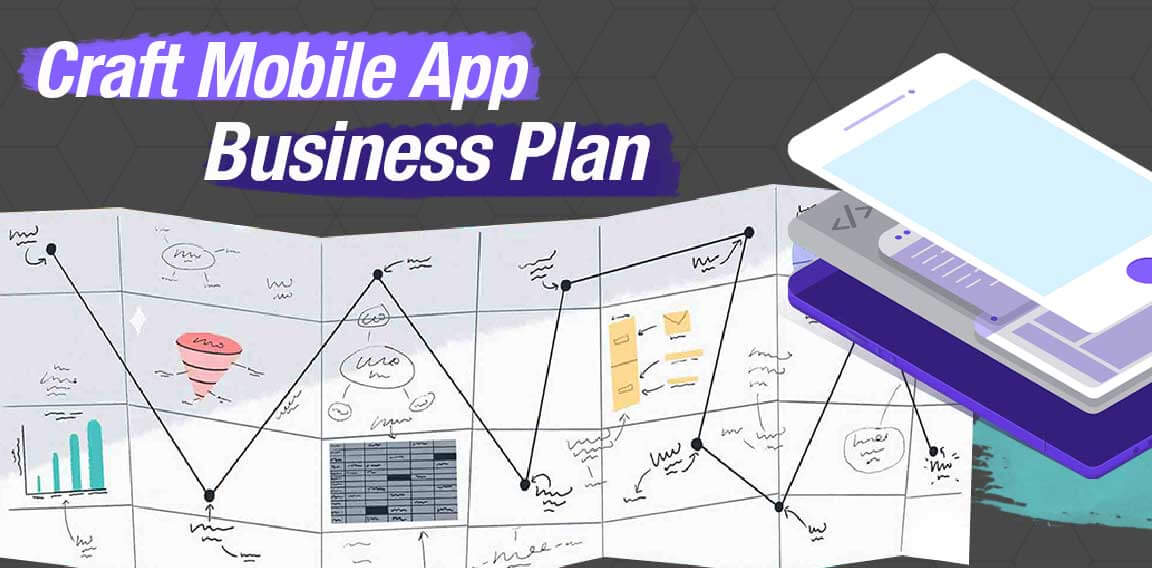
How to Create the Best Mobile App Development Business Plan in 2021?

The path to success in any business is one of the most hectic jobs in developing a business. But here, we all tend to choose how that will surely help you pass this phase as quickly as possible. 

What is a Business Plan? 

A business plan is beneficial when someone wishes to start a business because not everyone has money to invest and start their business. Most people need to take out a loan or approach investors to invest in their business. For that, you have to apply for a small business administration loan where you have to represent your Android app development business plan to earn that funds for investing in your own business. 

Fact: Consumer spending on apps hit a record of $64.9 billion in the first half of 2021.

#1 Why Do You Need a Good Business Plan for Your Mobile App?

When your business depends on mobile app development, you need to make the business plan perfectly because starting a business without any roadmap can make you lose your business. 

Mobile applications revolutionized the world in the digital era. But, most importantly, after the pandemic of Covid-19 took place, the number of unique, valuable apps increased because many businesses started working online. 

A Business plan helps other people understand the purpose of your business, its structure, services & products you’re going to offer, financial plan, and so many more important things that will play a massive part in any mobile app business. 

Now we are in a time where no work can be done without the help of any App. 

Thus, mobile applications are one essential part of our lives now. 

Every essential thing we need is now available online. Using social media to stay connected to the person they know, ordering food online, banking, playing games, etc., everything is possible because of mobile applications. 

But to create the best mobile app, you need to have a perfect business plan because it is the core of any business. 

Just like before constructing a building, you need a blueprint that has perfectly mentioned size, shapes, and drawings to design the building; for a mobile app, one needs a business plan before hitting Mobile Application development. 

Here, we have identified the three significant reasons you need a Business Plan for a mobile app. 

1. To Magnetize the Investment

As you may have guessed, the most apparent reason why mobile app companies create a business plan for developing an app is to get more and more funding. Of course, this is done to attract investors and even co-founders of a startup – the choice is yours, and occasionally you’ll need both.

An effective business plan will aid in representing your vision while also showcasing the scope of your mobile app concept and idea.

2. Reduction of Risk Factor

Risks are associated with spontaneous acts. Thus, whether and threats in business link with cost inefficiency and loss.

When you create a business plan, you’re essentially mapping out the entire journey of your company, which can give you valuable insight into the many unanticipated and likely hazards.

3. Helps You Keep Everything Under Control

While making any critical decision, it is pretty common to leave and forget essential aspects that can either make the foundation or break it. If you have a blueprint including points that work as a reminder of those crucial points, it becomes effortless to remember them easily. A business plan is that blueprint. 

There are many reasons, but there are three main reasons you should create a good business plan for mobile app development

So the main question is, “How will you write a perfect business plan for a mobile app idea?”. 


In search of strategic sessions?

Let us understand your business thoroughly and help you strategize your digital product.

Book an Appointment


#2 Step-by-Step Business Plan for Mobile App Development

Without talking about anything else, let’s roll on the steps to build a robust business plan that will help you win in the business of mobile applications. 


Step 1: Executive Summary 

So, this is the time to introduce your business, which is the primary phase. This phase decides whether you’re going to be in this game or not. Whether you’re going to an Investor or get a loan for business, your mobile app executive summary should be to the point and easy to understand. 

Note: All significant information should be included in your executive summary clearly and concisely. Do not write an executive summary for yourself; write it for the readers.

The executive summary depends on three main points, i.e. Summary, Unique Value Proposition (UVP), and Objective / Target. 

Let’s go through these points one by one and get some excellent tips and tricks that will make your executive summary to the end and perfect. 

1. Summary

The executive summary should list all the main takeaways from each of the significant sections of your business plan. 

Each section should have its header or paragraph. It should be on the point. 

2. Unique Value Proposition (UVP)

This section covers the unique selling proposition (USP), and it is simple. Here, you just have to describe the benefit of your offer and how you give a solution to your customer’s problem. Your UVP should make your Mobile app stand out from the crowd in at least one way. 

Here is the list of questions you have to keep in mind while writing the USP.

  • Which problem are you going to solve? 
  • How is your mobile application going to solve the main problem?
  • What’s something unique that your mobile app will serve that no one else can offer? 

3. Objective / Target

Here, you have to mention the primary purpose behind the mobile app. Once everything is said and done, everything comes down to this- The main goal behind your plan to achieve a successful mobile application. It gets better for others to visualize your short term plan and make them trust you. A startup should never end an executive summary without making an ask – explicitly about funding and capital. 

Step 2: Problem Analysis

“If I were given one hour to save the planet, I would spend 59 minutes defining the problem and 1 minute resolving it.” – Albert Einstein.

We will directly start with giving you the main questions that you have to keep in the back of your mind while writing Mobile App Problem Analysis. 

Question List:

  • Which Problem are you trying to solve?
  • What needs do your business fulfil?
  • Which pain points are out there that you are going to solve?

Those are some key questions that you always have to keep under the note while writing problem analysis. 

Key Idea

Investors, incubators, family & friends, and Banks are very enticed by a reliable problem statement. So make good use of representing it in astonishing ways. When you describe your problem analysis to investors, make sure that it makes them understand the main problem at first glance. 

When you sit in front of your investor with your mobile app business plan, you want to make sure they can go on with it when they read the problem statement. So, if they identify more with the problem, they are much more likely to invest in it. 

Also, investors, they’re looking for a big problem. They want to invest in it and do it if they find that your app solves a significant problem. So, bigger the problem; you’ll need more money for that. 

The problem statement does; it helps you focus on really what’s important about the business. It has to validate business strategy overall. It will describe the purpose of your business and how uniquely your Mobile app stands out in the Playstore and Apple App Store. 

Have a look at the example; you’ll be able to understand it much more clearly. 

GrocceriesAtHome Problem Statement 

Lifestyle today is hectic, and people don’t have time or energy to go out and buy fresh vegetables from the store and prepare the food. As a result, they’re cutting off their healthy food consumption, becoming more dependent on frozen food.

Things you should cover in a problem statement 

  • Articulates what the customer’s problem is. 
  • Define the pain point of customers. 
  • Mention how you’re going to fulfil the customer’s needs. 

Step 3: Solution statement 

Here, all you have to do is your recommendation of solving the problem. But you have to keep in mind that your solution should impact reality and bring a resolution to an actual issue. 

As we discussed earlier, in problem analysis, your solution will speak for your business. 

Key Idea

Your Solution Statement must tell a story about how you’re going to solve the customer’s problem, fulfill needs or remove their pain- and why you’re the best option.  


This section will make it clear how you solve the customer’s problem, how you’re going to fill their need and how you’re going to remove their pain. 

Let’s continue with the last example to understand it in a better way. GrocceriesAtHome is an app that provides a service of delivering vegetables at home. In this app, you get various categories that you can select from the nearby store options. 

GrocceriesAtHome Problem Statement 

GroceriesAtHome has created a time-saving and easy option to buy household stuff and get it at home.  

  • We allow our members to select the items of their choice by choosing various categories like vegetables & fruits, beverages, Non-veg food, beauty products, etc. 
  • We deliver groceries directly to your doorsteps. 
  • All food and products are original and newly manufactured. 

With the help of this example, you’ll be able to understand how short, precise, and to the point, your problem statement should be. 

Step 4: Business Description

In this section, you have to introduce your business, start by giving information about your organization and finishing with the mobile app plan. This part of your mobile app business plan will show investors or banks the corporate values your organization serves, like your mission, how you see your products and the key factors for the success of your product. 

This section covers three different parts; 

1. Company Overview

Here, you should describe your company in this manner: 

  • Type of business structure 
  • Company history 
  • Team
  • Problem 
  • Statement of the concept 
  • Location of your company

Focus your mission statement on how you currently envision the procedures in your project, such as investor and lender input. The mission statement describes the current state of affairs, but the vision statement focuses on the future and your drive.

2. Company History


Describe your company’s background, how your team came together, and how you came up with your idea. You can also discuss the significant stages of your company’s development and the experience gained before the product’s introduction.

3. Management Team

Because your app development team is the core of the project, the team is generally the most significant portion of the section explaining the organization. Therefore, each person’s name, title, job experience, and responsibilities in the firm will be substantial. You might also enlist the services of an advisory council to assist you in making important decisions.

Experts on your advisory board should have prior industry experience.

Fact: Apple crosses 1 billion active iPhone users for the first time in 2021.

Step 5: Market Analysis 

The state of the market should be the most critical component in realizing your app concept. Therefore, you should be aware of the present situation of your industry’s need, have up-to-date information, and be able to generate a short-term projection.

That is to say; you should have a marketing strategy in place. The market analysis part of your business plan demonstrates the project’s viability.

You may keep an eye on Apple’s cheat sheet to keep track of the popularity of mobile applications. For example, top paid, top free, and top-grossing apps may all be the App Store.

This section will cover two main parts i.e. 

1. Market forecasts

Forecasting is an essential aspect of drafting a business plan for an app development startup’s success. When writing any business plan, such as a business plan for application development or a software startup business plan, forecasts from credible research firms such as Nielsen and Forrester are helpful. You may also include information on the number of companies in the mobile application market and the amount of money spent.

2. SWOT Analysis

A SWOT analysis is a method of strategic planning that allows you to give a structured description of your situation. It comes in use to investigate products, businesses, regions, or even countries. The acronym SWOT stands for “strengths, weaknesses, opportunities, and threats. 

It’s perfectly normal for a firm to have flaws: knowing about them will serve as a powerful drive to find solutions and decrease any risks your company may face.

Step 6: Marketing Strategy

A marketing plan acts as a link between you and your customers, allowing your product to reach them. Moreover, you must persuade investors that such a bridge exists. Use the following marketing methods for your mobile app to be successful:

1. Investigate the target market

The first stage is to attract your target audience by focusing your offering on a specific demographic. The demographics, habits, internet behavior, and lifestyle of this target group should all consider. Next, examine how your ideal client will interact with your app.

2. Analyze your competitors

Competitor research is a part of business analysis. This data will assist you in highlighting the qualities that set you apart from your competition, improve your procedures, and resolve market issues.

3. Landing Page Creation

Making a landing page for your mobile app will help you reach a wider audience by informing readers about new features and updates. Make sure your page includes the application’s name, a description of its capabilities, and promotional videos, among other things.

4. Product Growth

Depending on the type of app startup, growing the user base differs, as does the business plan for accessing different industries. A major advertising campaign, for example, makes sense only in markets where consumers understand your product or service and its utility. Take, for example, Uber and Houseparty, both of which have successfully launched enormous marketing efforts.

5. App Rating

To enhance your app’s rating in app store search results, improve its attributes, such as by reducing the mobile app’s load times. A high ranking in search results will attract potential buyers’ attention.

Step 7: Financial 

Finally, you’ll be able to move on to the financial section of your business plan. To move forward, you must have a clear understanding of the type of financing you require. Furthermore, a potential investor should comprehend the cash you need when reading this section of your company plan.

All of the primaries predicted models, including profit and loss, cash flow, balance sheets, start tables, and value, are typically anticipated for three to five years in the financial model. To establish the actual cost and distribution of assets, your financial record must include the following components, each with a clear explanation.

1. Startup Funds

Inform your investors of the costs that will Ensure. Because such figures may fluctuate, we recommend making fair estimations and allowing for unexpected expenses.

Make a list of all costs that you will have to cover for a startup:

  • One-time costs
  • Regular expenses (e.g. electricity bill, rent, insurance) 
  • Variable Costs (e.g. salaries)
  • Fixed Costs 

2. Funding Required

The most common and best way to strategise your mobile app business funds are: 

  • Advertising 
  • Charge for the extra features (In-app purchases)
  • Charge for app
  • Subscriptions 

3. Revenue model

Keep in mind that a revenue model is all about expertise. As a result, we should begin writing revenue models by doing research. And make it a point to learn how to make money. Then, as a result, combine the information you’ve gathered from other companies with the experience and knowledge you’ve earned from your own.

We’ll need essential bits of data for that, which are the ones that make up a robust revenue model.

Here are some tactics you should keep in mind while creating the mobile app business model. 

  • Make sure that the app idea is unique and helpful.

Consider your history. Also, pay attention to your strong qualities. Finally, pick something that will aid your development. If possible, use a revenue prediction template. It has the potential to be highly beneficial. Remember that your revenue model should demonstrate your originality as well as the services you offer.

  • Make a list of long-term revenue sources and potential investors. 

Look for people who are knowledgeable in your field. Consider the long-term project you’re working on. Also, think about different sources of income that aren’t always the primary ones for bringing in money or keeping the business solvent. These may turn out to be essential aspects of your company in the future.

  • Review and adjust the model on the timeline.

Revenue models are constantly changing. Business settings, places, and scenarios may vary over time. Keep an eye out for what’s working and what’s no longer working. It needs to wrap up! If that’s the case, double-check needs any other successful document; a business plan must demonstrate that your company is viable and profitable. 

Your Mobile App Development Business Plan Should Result in Your Success

If you need a helping hand in any stage – let us know. Our business development team will become your helping hand.

Contact Us

Let’s wrap up!

It’s not easy to write a business plan for a new mobile application or a mobile app startup. Thus, knowledge of your industry, qualitative and quantitative analysis, and practical research should all come into use to support your notion.

The more viability, the bigger the investment opportunity. 

A business plan makes you creative to inspire you to make it an instrument for implementation. Trust us; it is a decisive factor in gaining funds. If you’re having trouble drafting your business plan for launching a mobile app, our skilled team of Mobile app developers at LogicRays Technologies is here to help you get started on this exciting journey and arrive safely at your destination!

Android vs. iOS: ON WHICH PLATFORM YOU SHOULD BUILD MOBILE APP FIRST

In this era of mobility and changing time, development is taking place faster than anytime. We have a lot to dig in.

Mobile application is ruling the era and this era is being ruled by Android and iOS. In the fourth quarter of 2020, around 2.9 million apps were available in the Apple App Store. It would be astonishing for you to know that till February 2021, Android has 71.9% Market share Worldwide.

Now you can imagine how much good you will make when you choose to build an application of your own.

If you’re creating an application, developing for iOS or Android is one of the first decisions you need to make.

Why can’t you develop mobile application on both platforms?

Well you can, but it’s too risky if you are just starting with your business.

We know that your ultimate goal is to launch an application on both platforms, before you decide anything, you need to think about the risk factors you’ll face if you select both platforms.

Creating an app in both iOS and Android can cost you way too much. Here, you’ll be putting a high amount of money at stake.

Instead of that, you can launch your app on any one platform, once it is successful; you can launch the app on another platform.

So, how will you decide between Android and iOS to launch your app?

There are pros and cons of both platforms, but your choice depends on 7 factors:

  1. Hardware Requirement
  2. Target Audience
  3. License Issue 
  4. Features
  5. Integrated Development Environment
  6. Monetization 

Without wasting any time, let’s start with how these factors will affect your application. 

Let’s start!

1. Hardware Requirements:

Depending on the country in which you are, the hardware requirements are obvious to have or not so obvious to have.

In countries like India Windows is the dominant operating system, rather than US and Uk, where Mac Operating systems are mostly preferred. For the people in the USA and UK, it is pretty much common to develop iOS App rather than Android App. 

In India, Android Mobile Application development is much more preferred because the hardware you need is easily accessible and cheaper than iOS hardwares. 

The hurdle you’ll face is, for the MAC or iOS Mobile Application Development, you’ll need to have an iMac, Mac Mini or Macbook Pro. 

Where Android hardware is easier to get or upgrade. 

Thus, it is your choice to choose the hardware requirement according to your need. 

Important Features for perfect hardware for developing Mobile Application:

  • Top processor (Core i9/ Ryzen 9 Processor is new in market). Choose i3 Processor / ryzen 3 Minimum. 
  • Minimum 8GB RAM is preferred, if you purchase 16 GB RAM, it will be a good decision. 
  • Minimum 256GB SSD Hard Disk is required.


[table id=1 /]

LogicRays Recommendation:

Whatever you choose, choose wisely because your Hardware requirement will be the base of your Application and both Android and iOS have their pros and cons. 

If you got big bucks to spend for your application, go for iOS App Development

And, if you want to make your Application under the budget with good features, Android App Development is what you should prefer. 

2. Target Audience:

First thing you need to know is that your users will either belong to Android or iOS platforms. 

Your App will depend on your idea, and your idea will decide your target audience. 

For Example, If my idea is to make a Food Delivery app, then I will have to create apps on both iOS and Android platforms because my target audience will be everyone. 

But if my idea is to create a Music app, then it will depend on the audience, whether my audience is using iOS / Android / Both platforms. 

If you’re targeting a global audience, Android will be your best choice. But if your audience is in the UK or US, Apple will be a better choice.

LogicRays Recommendation:

Depending in which country your user base belongs will help you make this decision. 

Go through your idea and observe, where you will be able to get more traffic on your application depending on your country you’re living in. 

3. License Issue:

License issues with Android and iOS are completely different. If you’re making an Application in iOS, it will cost you more than Android. 

iOS charges $99 per year to upload your application in the App Store. 

Where Android charges $30 for lifetime access to upload any Apps you want to upload in Google Playstore. 

iOS is very precise when it comes to choosing an application to upload in the Apple store because. iOS is very precise about the quality of application you’re uploading because Apple does not accept low-quality applications in their store. These conditions help them keep their standard high in the world. 

iOS goes pixel-to-pixel to check your Application. It is far more strict in App development, checks memory leaks, and Graphics of Application. 

In Android it is much easier for any application to get selected to be in Google Playstore. 

The Lifetime usage with affordable rates, make Android a much preferable choice for everyone because, not everyone can afford $99 every year unless their App runs successfully in iOS.

LogicRays Recommendation

Doesn’t matter if you’re a beginner or an Expert Mobile App Developer, Apple is much recommended because Apple is far more strict in accepting the app and renewing the license on a monthly basis. Thus, Apps in Apple are much more refined, strict, safe & secure. 

Android on the other hand comes with less price but less price means more users, more apps, more competition, and every type of apps. 

4. Features:

The feature of your app depends on the main idea behind creating this application and what your audience will need out of it. 

So, the main question for you is that “What features will you provide through your Mobile App?” Because Android is open source and it provides more flexibility compared to iOS. 

Building the features and functions that your audience wants is in your hand. 

Open source means Android has higher risk to pirate apps and malware. When you compare Apple with Android- Apple is more secure because of its closed nature. This is the reason why iOS has a bigger audience base in the enterprise market. 

It keeps the data of enterprise safe & secure.

LogicRays Recommendation:

For the enterprise market it is much more recommended to use Apple because it is much more secure & safe. Where Android is open-source, there are a good number of chances that a bug or malware can attack your application. 

Thus, if your application is for your personal purpose, then using Android for your App development is much preferred. 

5. Integrated Development Environment (IDE):

Now when you write code for iOS, you use Xcode and when you write code for Android, you use Android studio. 

When you compare Xcode with Android Studio, Xcode is far more dominant than with the Android Studio. Since the things have now changed for Android Studio version 4.1, you don’t have to use third-party software like genymotion to speed up your performance of the emulator in the end right now. 

The default emulator is quite better than the previous version. 

On the other hand, Xcode is quite mature software because it has been through quite a lot of phases in every update. Thus, working on the Xcode is far more easier and less buggy, compared to the Android Studio. 

Also, the Android Studio has its own benefits like: arranging the things in layout is far more easier in the Android compared to Xcode because it comes with the linear layouts and compound layouts. 

At the end it is always your choice.

LogicRays Recommendation:

Apple has been dominating the market because of its ease of developing apps in Xcode. 

Since Android studio version 3 came out in October 2017, the issues related to bugs and lagginess got solved and the working with it became way more better than it used to be. 

Now that you’re getting a IDE at low rates, then why not choose it. 

6. Monetization:

When you’re building an application, at some point you also hope to get your App monetized. 

Apple App store generates twice as much revenue compared to Google Playstore despite having half many downloads. 

Apple users are more likely to make in-app purchases and spend more on it. 

The likelihood of making purchases on iOS or Android determines how much money your app can make.

When you compare iOS users with Android users; Android users are less willing to pay for the apps. 

Thus, free apps with in-app-ads are more common in Android. 

Whereas, Apple App store brings in twice as much money as Google Play, despite the fact that there are half as many downloads. 

Apple users are more likely to make and spend money on in-app purchases.

LogicRays Recommendation:

Apple could be the best bet if you want to monetize your app without ads, freemium models by subscriptions, or in-app purchases. Here eCommerce Applications are no exception. 

In The End!

Android vs. iOS: Which Platform to Build Your App for First? 

Everything depends on where you are living, where your audience lives, what are their preferences, their feature requirements, license issue, and budget to determine where you should build a business app for iOS or Android first. 

If your product has minimum requirements, then Android can be the “Way to Go!” option for you. 

As well as, if you are looking forward to generating big bucks with your app or building an eCommerce app, iOS is the best option for you. 

Moreover, if your target is an emerging market or global market, depending on the region and features of your app, Android will be your best bet here. 

It doesn’t matter which platform you’re choosing.

Both platforms are on top and equally fantastic! 

We gave you perspective, now choice is yours!

With the help of LogicRays Technologies, you can now Hire Android Developer or Hire iOS Developer for creating the best business application you dreamt of. 

site-loader